Understanding CIS Benchmarks
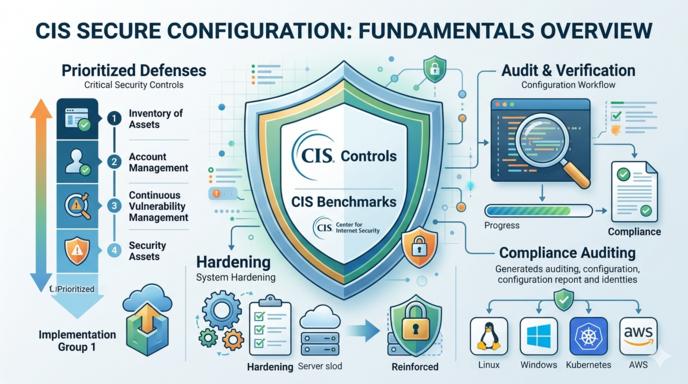
In the world of cybersecurity, there are hundreds of vulnerabilities and potential attack vectors. However, most successful breaches occur not through complex zero-day exploits, but due to common configuration errors: default passwords, enabled legacy protocols, or excessive user permissions.
To solve this problem systematically, experts from around the world have developed a unified set of rules for securing IT infrastructure - the CIS Benchmarks. In this overview, we will break down what these standards are, what they consist of, and how to begin implementing them in your environment.
What are CIS and CIS Benchmarks?#
CIS (Center for Internet Security) is a non-profit organization that brings together experts from across the globe (government agencies, businesses, and academia) to establish cybersecurity best practices.
The primary product of their work is the CIS Benchmarks. These are over 140 detailed, step-by-step instructions for secure configuration (hardening) across various operating systems, cloud platforms, databases, and networking equipment.
In simple terms: it is an official checklist that tells you exactly which “switches” in your system should be turned off or on to make it as difficult as possible to breach.
CIS Security Profiles (Levels)#
Every CIS document is divided into security profiles. This allows organizations to balance high-security requirements with the operational needs of their services.
Level 1 - Basic Security#
- Essence: Core security recommendations that can be implemented on most systems without a significant risk of “breaking” anything.
- Impact: Minimal impact on performance and software compatibility.
- Suitability: Recommended for any corporate server or workstation by default.
Level 2 - Defense-in-Depth#
- Essence: More radical settings for systems where security is a critical priority.
- Impact: May limit certain system functions or require additional configuration of application software.
- Suitability: Recommended for servers handling personal or financial data and critical infrastructure.
STIG Profile (in select benchmarks)#
A specialized level that aligns configurations with the rigorous requirements of the U.S. Department of Defense (DISA STIG).
Structure of a Typical CIS Recommendation#
Each item in a CIS Benchmark (e.g., in the CIS Linux Benchmark) is outlined according to a strict standard, making it ideal for automation:
- Title: What exactly is being checked (e.g., “Ensure SSH root login is disabled”).
- Profile: Which level (Level 1 or Level 2) the recommendation belongs to.
- Description: Why this setting is important and what it protects against.
- Audit: A ready-to-use command (e.g., a Bash or PowerShell script) that allows you to check if your system currently complies with this rule.
- Remediation: Step-by-step instructions or a command to fix the configuration if the audit reveals non-compliance.
Major Technology Categories Covered by CIS#
CIS provides benchmarks for nearly the entire modern technology stack:
- Operating Systems: GNU/Linux (Ubuntu, RHEL, Rocky, Debian), Microsoft Windows, macOS.
- Cloud Providers: AWS, Microsoft Azure, Google Cloud Platform (GCP).
- Containerization: Kubernetes, Docker, OpenShift.
- Software & Databases: Nginx, Apache, PostgreSQL, MySQL, MS SQL Server.
CIS Controls vs. CIS Benchmarks: What is the Difference?#
Beginners often confuse these two concepts. It is helpful to remember a simple hierarchy:
- CIS Controls: This is the high-level strategy. A list of 18 global organizational and technical actions to protect a company (e.g., Control #1: Inventory of Assets, Control #4: Secure Configuration).
- CIS Benchmarks: This is the tactic. Specific technical instructions that implement Control #4 for a specific OS (e.g., exactly how to set file permissions on your RHEL 9 system).
How to Start Implementation?#
Manually implementing hundreds of pages of recommendations is a Sisyphean task. This is where automation comes in.
- Audit (Scanning): Use automated utilities to scan your servers and generate a Compliance Report. Free tools include open-source scanners like OpenSCAP or built-in cloud tools (e.g., AWS Security Hub).
- Hardening via Configuration Management: The best practice is to automate fixes using Ansible, Chef, or Puppet. On GitHub, you can find numerous verified Ansible roles (e.g., from the DevSec community or Lockdown Enterprise) that will automatically configure your server according to CIS Level 1 or Level 2 standards.
Conclusion#
Implementing CIS Benchmarks is the shortest and most effective path to building a secure infrastructure. Even if you only implement Level 1 recommendations, you will automatically thwart over 80-90% of typical automated attacks and scans that hackers and botnets perform daily in search of “low-hanging fruit.”